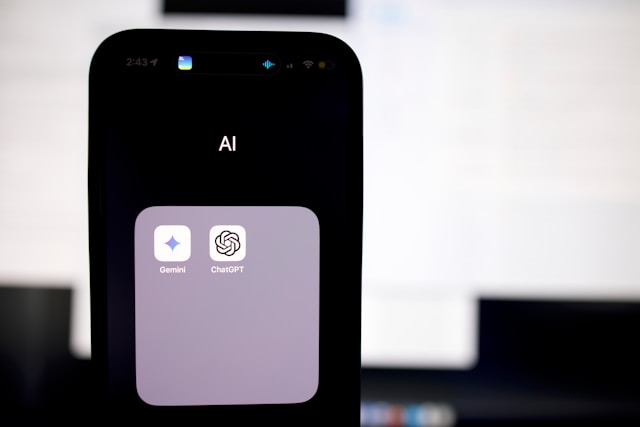
You’ve probably heard two names dominating the AI conversation lately — ChatGPT and Google Gemini. Both are powerful AI assistants, both can write, answer questions, analyse information, and hold surprisingly natural conversations. But they’re built by different companies, work in slightly different ways, and have genuinely different strengths. If you’ve ever wondered which one you should be using — or whether it even matters — this guide is for you. We’ll break down exactly what Google Gemini is, how it works, and how it stacks up against ChatGPT in plain English.
What is Google Gemini?
Google Gemini is an AI assistant created by Google DeepMind, Google’s dedicated AI research division. It was officially launched in February 2024, replacing what was previously known as Google Bard. Gemini represents Google’s most serious and ambitious AI project to date — the company’s direct answer to the explosive global popularity of ChatGPT.
Like ChatGPT, Gemini is built on a large language model — meaning it was trained on enormous amounts of text, images, and other data, and can generate human-like responses to questions and prompts. But what makes Gemini particularly distinctive is that it was designed from the ground up to be multimodal. This means it can understand and work with text, images, audio, video, and code — all within the same model, rather than having these capabilities bolted on separately.
You can access Gemini for free at gemini.google.com or through the Gemini app available on both Android and iOS. It’s also deeply integrated into Google’s existing suite of products — including Gmail, Google Docs, Google Sheets, Google Drive, and Google Search — making it accessible to hundreds of millions of people who already use Google’s tools every day.
How Does Google Gemini Work?
Gemini is built on a family of AI models rather than a single one. The three main versions are Gemini Ultra, Gemini Pro, and Gemini Nano — each designed for different levels of complexity and different use cases.
Gemini Ultra is the most powerful version, built for highly complex tasks that require deep reasoning, nuanced analysis, and sophisticated multi-step thinking. Gemini Pro is the version most people interact with through the standard Gemini interface — it’s capable, fast, and well-rounded for the vast majority of everyday tasks. Gemini Nano is a lightweight, efficient version designed to run directly on mobile devices without needing an internet connection, enabling AI features that work even offline.
The most significant technical aspect of Gemini is its native multimodality. Most AI models were originally built to process text and had image or audio capabilities added as separate modules later. Gemini was architected from the start to process multiple types of information simultaneously — text, images, audio, and video — in an integrated way. This means when you show Gemini an image and ask a question about it, it’s reasoning across the visual and textual information together, rather than processing them separately and combining the results.
Think of it like the difference between someone who learned to read and then separately learned to look at pictures versus someone who developed both abilities together from childhood — the latter has a more integrated and natural understanding.
Why Does it Matter?
Google entering the AI assistant space with full force matters for several reasons that go beyond just having another chatbot to choose from.
First, Google has access to real-time information through its search engine. The standard version of ChatGPT has a knowledge cutoff date and doesn’t browse the internet by default — it can only draw on information from its training data. Gemini, connected to Google Search, can access current information and answer questions about things that happened yesterday, last week, or this morning. This is a significant practical advantage for anyone who needs up-to-date information.
Second, Gemini’s deep integration into Google Workspace means that if you already use Gmail, Docs, or Sheets as part of your daily workflow, you can access AI assistance directly inside those tools without switching to a separate app or service. You can ask Gemini to summarise an email thread, help you draft a document, or analyse data in a spreadsheet — all without leaving the tools you’re already using.
Third, Google’s extraordinary research resources and engineering talent mean Gemini is improving rapidly. The gap between Gemini and ChatGPT has narrowed dramatically since launch and in several benchmarks Gemini now matches or exceeds its rival.
Gemini vs ChatGPT — The Key Differences Explained
This is what most people actually want to know — so let’s go through the key differences one by one.
Real-time information Gemini can access current information through Google Search, making it much better at answering questions about recent events, current news, live sports scores, today’s weather, and anything else that changes over time. The free version of ChatGPT has a training cutoff and doesn’t browse the internet by default — though ChatGPT Plus subscribers do get web browsing as an included feature.
Google Workspace integration If you live in Gmail, Google Docs, and Google Sheets, Gemini integrates directly into those tools. It can read your emails, help you write documents, analyse spreadsheets, and create presentations — all from within the apps themselves. ChatGPT doesn’t have this native integration with Google’s suite, though it does integrate with Microsoft’s Office products through Copilot.
Image and visual understanding Both Gemini and ChatGPT can analyse and discuss images, but Gemini’s native multimodal architecture means it tends to handle complex visual reasoning more naturally and accurately. You can show Gemini a photo and have a detailed, nuanced conversation about what’s in it.
Coding capabilities Both models are strong coders and can write, explain, and debug code across most major programming languages. ChatGPT has historically had a slight edge here due to more extensive training on code, but Gemini has closed the gap significantly and performs comparably on most common tasks.
Creative writing and conversation Many users find ChatGPT slightly more engaging and natural in open-ended creative tasks — writing stories, poems, scripts, and creative content. Gemini can do all of these things well but tends toward a slightly more structured, formal tone. This is highly subjective and personal preference plays a big role.
Availability and pricing Both offer free tiers that are genuinely useful. Gemini Advanced, included with a Google One AI Premium subscription, costs $19.99 per month and unlocks the most powerful Gemini Ultra model. ChatGPT Plus costs $20 per month and gives access to GPT-4. The pricing is nearly identical, so the decision comes down to which ecosystem you prefer.
Plugin and third-party integrations ChatGPT has a larger and more mature ecosystem of third-party plugins and integrations built by developers. If you need AI assistance that connects to specific external tools or services, ChatGPT’s ecosystem is currently more extensive.
Common Mistakes and Misconceptions
Misconception 1 — Gemini is just a chatbot version of Google Search. Gemini is much more than a search interface. It can reason, create, analyse, summarise, code, and converse — it’s a full AI assistant, not just a search results page with a friendly face. The fact that it has access to Google Search is one feature among many, not the entirety of what it does.
Misconception 2 — ChatGPT is always better than Gemini. This was closer to true when Gemini first launched as Google Bard, which was widely criticised as inferior to ChatGPT. But Gemini has improved enormously since then. In several independent benchmarks, Gemini Ultra now matches or outperforms GPT-4 on reasoning, mathematical problem-solving, and multimodal tasks. Neither is universally “better” — they have different strengths.
Misconception 3 — You have to choose one or the other. Both are free at the basic level. Many people — including plenty of tech professionals — use both depending on the task. Gemini for anything requiring current information or Google Workspace integration, ChatGPT for creative writing, complex coding tasks, or when you prefer its conversational style. There’s no rule that says you can only use one.
Misconception 4 — Gemini shares everything you type with Google. Google does use conversation data to improve its models by default, but you can opt out of this in your Gemini settings. Gemini Advanced users get additional privacy protections. It’s worth reviewing the privacy settings before you start using any AI tool with sensitive information.
Frequently Asked Questions
Is Google Gemini free to use? Yes, the standard version of Gemini is completely free at gemini.google.com. You just need a Google account to sign in. Gemini Advanced, which gives access to the most powerful Gemini Ultra model and additional features, requires a Google One AI Premium subscription at $19.99 per month, which also includes 2TB of Google Drive storage and other Google One benefits.
Can Gemini access the internet in real time? Yes — this is one of Gemini’s most significant practical advantages over the base version of ChatGPT. Gemini can pull current information from Google Search to answer questions about recent events, breaking news, current prices, live sports results, and anything else that changes over time.
Which is better for students — Gemini or ChatGPT? Both are genuinely excellent for students. Gemini has a clear advantage for research tasks that require current information — it can find and summarise recent studies, news articles, and up-to-date statistics. ChatGPT may have a slight edge for essay writing, creative assignments, and complex explanations due to its conversational depth. Many students find using both gives the best results.
Does Gemini work on mobile? Yes — the Gemini app is available on both Android and iOS and works very well on mobile. On Android devices, Gemini can replace Google Assistant as your default AI helper, meaning you can invoke it with a long press of the home button or a voice command.
Is Gemini safe to use for work documents? For general work tasks, yes. However you should be cautious about entering highly confidential or sensitive business information into any AI tool, including Gemini. Review your organisation’s data policies before using AI tools with proprietary company information.
Can Gemini remember previous conversations? Gemini does have a conversation history feature that allows it to reference things you’ve discussed in previous sessions. This can be turned on or off in your settings depending on your preference for privacy versus continuity.
The Bottom Line
Google Gemini is a genuinely powerful and capable AI assistant that has rapidly closed the gap with ChatGPT since its launch. Its real-time internet access and deep integration with Google’s productivity suite give it meaningful practical advantages for many users — particularly those who already live in the Google ecosystem. ChatGPT remains slightly ahead for creative writing and has a more mature third-party integration ecosystem. The best news is that you don’t have to choose — both offer free tiers worth exploring, and spending fifteen minutes with each will quickly show you which one feels right for the way you work and think.